For solo attorneys, small firms and legal teams
I’m Eduardo. I prepare your matters. You decide.
Drafts, sourced memos, case files, client intake and your firm’s website.
- The attorney reviews and signs
- No legal advice, ever
- English and Spanish
 Illustrative · AI-generated image
- Draft
- Attorney review
- Signed by you
See Eduardo in motionA short film of its world. The examples below show the work.▶
What I prepare for your firm
Your hours belong to clients and the courtroom. The preparation around them is mine.
Negotiable price: tell me what you need and I’ll quote you. I deliver fast and in volume.
01 · Sources and research
I research. You check every line against its source.
- Before · hours searching, notes without page references
- After · a memo with the question, primary sources and a draft analysis
- One jurisdiction per request. The memo states it, with the cut-off date of its sources.
- Every citation traceable. The attorney confirms authority, currency and judgment.
- Only facts your documents support, each with its page reference.
 Eduardo presentsIllustrative example · choose a step
Can a landlord keep a security deposit for normal wear and tear?
Draft for attorney review. Not legal advice.
Reviewed by the attorney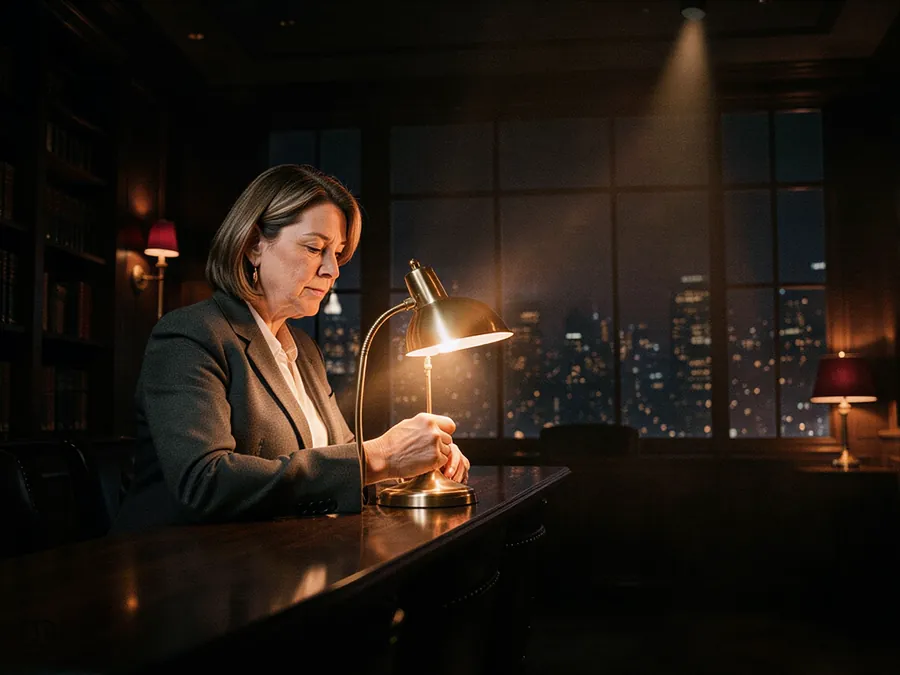
02 · Drafts and documents
The first draft is ready. The judgment stays yours.
- Before · a blank page at 9 p.m.
- After · a draft in your template, open points marked for you
- Your approved templates and your firm’s rules. Every draft is marked as a draft, with its jurisdiction.
- Redlines with tracked changes. You negotiate, assess the risk and decide the final wording.
- Nothing is filed, signed or sent for you. E-signature only with your authorization.
Eduardo presentsIllustrative example · choose a step
- Draft
- In review
- Approved
- Signed
Each party’s total liability is limited to the fees paid in the last month the fees paid in the twelve months before the claim.
Following your playbook: 12-month cap. You decide whether to accept it.
Open point · Governing law and venue: [confirmed by the attorney]
Signature validity and identity checks are confirmed for the jurisdiction.

03 · Matters and operations
Every matter in order, with dates you confirm.
- Before · files, emails and sticky notes everywhere
- After · a classified case file and an obligations register with sources
- Each date carries its source and an owner. The attorney confirms every deadline; legal time limits are never calculated on their own.
- Time reports and draft invoices from your records. Billable time is never invented; you authorize issuing.
- Access per matter, confidentially, in your system or in an index.
Eduardo presentsIllustrative example · choose a step
Commercial lease · sample client
Sample figures and names. Your official calendar remains yours.

04 · Intake and clients
Every inquiry answered. Never advised.
- Before · missed calls after hours
- After · details taken and a consultation booked for the attorney
- Administrative information only: hours, practice areas, appointments and pending documents. Everything else goes to your team.
- Booking a consultation does not create an attorney-client relationship. Your site says so, in words you approve.
- Conflict checks assisted, decided by you. Follow-up emails only to people who consented, and only once you approve them.
Administrative conversations are set up for your channels and calendars once access is confirmed.
Eduardo presentsIllustrative example · choose a step
Hi, my landlord won’t return my deposit. Can I sue?
I’m the firm’s assistant. I can’t give legal advice, but I can book a consultation with an attorney. May I have your name and a phone number?
Daniela, 555 0142.
Thank you. Please don’t send documents here yet. Thursday at 10:00 or 3:30?

05 · Your firm online
A website that explains your practice without promising outcomes.
- Before · an online business card
- After · a page per practice area, with a contact form
- Advertising reviewed by the firm under your bar’s or state’s rules, with the notices they require.
- Informational posts and videos are general information, never personalized advice; the attorney approves them.
Eduardo presentsIllustrative example · your siteClear answers start with a consultation.
Family, business and immigration matters, explained by the attorneys who handle them.
Book a consultation
Attorney advertising. Information on this site is not legal advice. Prior results do not guarantee a similar outcome.
How you decide and receive
Tell me what you need. I return it ready for your review.
01 · You ask
By voice, text or files, inside a project for each matter.
02 · I make it
Inside your project
One project per matter: progress, decisions and deliveries.
Choose a stage to see how a request moves from your idea to a signed document.
You askReceived“Engagement letter, flat fee, our usual template.” Jurisdiction and template attached to the matter.
ContinueAdd a fileScope and rangeWaiting for youApprove scopeAsk for a changeDraftDraftDraft in your template. Fee amount and matter description left open for the attorney.
OpenAsk for a changeAttorney reviewAwaiting your approvalNothing leaves the firm until the attorney edits and approves it.
ApproveRequest changesSigned by youAuthorizedYou sign, or authorize an e-signature envelope when that service is set up.
DownloadSend for signatureKept in the matterDeliveredFinal version, earlier drafts and sources stay with the matter for the next request.
Open matterNew requestIllustrative walkthrough with a sample matter. Eduardo does not give legal advice, file documents or sign on anyone’s behalf.
03 · You get it ready
Follow the progress and approve or ask for changes.
- “Prepare the engagement letter for the Rivera matter”The draft in your template, with fee and scope left for you to confirm.You approve the terms and sign.
- “What does the case law say about this clause?”A memo with primary sources from one jurisdiction and every citation traceable.You confirm currency and judgment.
- “Organize this client’s documents”A classified case file and the dates found, each with its source.You confirm every deadline.
- “Launch a page for our immigration practice”The page and its contact form, with no promised outcomes.The firm reviews the advertising.
Professional safeguards
Professional review, built into every step.
- The attorney reviews and signs.Every draft, memo and piece of content reaches you as a draft. You approve, edit and sign.
- No legal advice.Eduardo is not a law firm and does not represent anyone. Intake and the firm assistant give administrative information only.
- Jurisdiction stated.Each request names one jurisdiction and a cut-off date. Rules differ between US states and between Mexican states; the attorney confirms what applies.
- Sources you can check.Every citation points to its source and passage. The attorney confirms authority and currency.
- Dates confirmed by you.Obligations are extracted with their source; legal time limits are never calculated autonomously.
- Nothing filed, signed or sent alone.Filing, signature envelopes and client messages go out only with your authorization.
- Confidentiality and privilege.Access is set per matter and per user. Your originals stay intact; deletion and retention follow rules the firm validates.
- Advertising without promises.Websites and content follow your bar’s or state’s advertising rules, with no guaranteed results. Certified translations are signed by a sworn translator.
Before you decide
Frequently asked questions
- Is Eduardo a lawyer or a law firm?
- No. Eduardo prepares work for a licensed attorney: drafts, research, organization and administrative tasks. It does not give legal advice, practice law or represent clients.
- Who is responsible for the final document?
- The attorney who reviews and signs it. Every delivery is marked as a draft until you approve it.
- Which jurisdictions do you work with?
- Firms in the United States and Mexico. Each request states one jurisdiction; research uses primary sources from it, with a cut-off date. E-signature validity, certified translation and advertising rules are confirmed for that jurisdiction.
- How is client confidentiality handled?
- You decide what to share. Access is set per matter, only authorized people see it, and originals are never altered. Please don’t send privileged information through the contact form.
- Will it calculate my deadlines or file for me?
- No. Dates are extracted with their source and an owner, and the attorney confirms each one. Nothing is filed, signed or sent without your authorization.
- Which services need a quote first?
- Large deliverables such as e-discovery preparation, e-signature and a secure client portal. They depend on your systems, licences or sources, so you get the quote and accept it before work starts.
- Do you use AI?
- Yes, to prepare the work. AI-generated images and media are labeled, and every citation can be checked against its source.
- Can my whole team use it?
- Yes. The account is free with unlimited members and no per-seat fees; the owner decides who sees each matter.
- We are a larger firm or legal department.
- Ask for a scope tailored to your practice areas, volume and systems. Write to me.